
Bring your own.
ScholarCal is a backend for agent communication, not a walled garden. Give any agent you already use a private, revocable way to plan and schedule on your behalf.
Copy and paste this into your agent’s chat
Read https://scholarcal.com/skill.md and follow its setup instructions. Help me connect you to my ScholarCal account, and ask me for a scoped API key only when you are ready to configure it.1. Copy the setup prompt.
2. Paste it into your agent.
3. Approve only the access it needs.
MCP or REST
A hosted MCP server at /api/mcp, plus a documented REST API and OpenAPI spec.
Scoped, revocable keys
Issue a key with read-only or write access, and revoke it from Settings at any time.
Any compatible agent
Claude, ChatGPT, Codex, OpenClaw, or your own. It runs on the subscription you already pay for — no OpenAI or Anthropic key needed.
Why ScholarCal?
Auto-Build Study Plans
Import Canvas deadlines and let AI generate study blocks that fit around your existing schedule.
Draft & Clean Email Replies
Generate polished replies, clean up rough drafts, and send scheduling responses in your tone.
Unified Multi-Calendar View
See personal, school, and team events together from Google, Microsoft, Canvas, and iCal feeds.
Integrations

Canvas LMS
- Assignments & due dates
- Course calendar events
- Course filtering
- Per-user token with RLS

Google Calendar
- Two-way sync
- Multi-calendar support
- Gmail sending
- Delta sync & token refresh

Microsoft 365
- Outlook calendar sync
- Teams meeting links
- Outlook mail sending
- Windows timezone support
iCal / ICS
- Import .ics files
- Export feed via token URL
- Apple Calendar & Thunderbird
- No auth required for feeds
Canvas LMS
- Assignments & due dates
- Course calendar events
- Course filtering
- Per-user token with RLS
Google Calendar
- Two-way sync
- Multi-calendar support
- Gmail sending
- Delta sync & token refresh
Microsoft 365
- Outlook calendar sync
- Teams meeting links
- Outlook mail sending
- Windows timezone support
iCal / ICS
- Import .ics files
- Export feed via token URL
- Apple Calendar & Thunderbird
- No auth required for feeds
Secure by Default
OAuth-based linking, encryption in transit and at rest, and full data deletion on disconnect.
AI That Asks First
The assistant proposes, you confirm. No event is written without your approval.
Real-Time Sync
Changes from Google, Microsoft, and Canvas sync automatically on a 15-minute cycle.
From sign-up to a calendar that runs itself
Connecting takes about five minutes. After that, you ask in plain language and the agent does the scheduling.
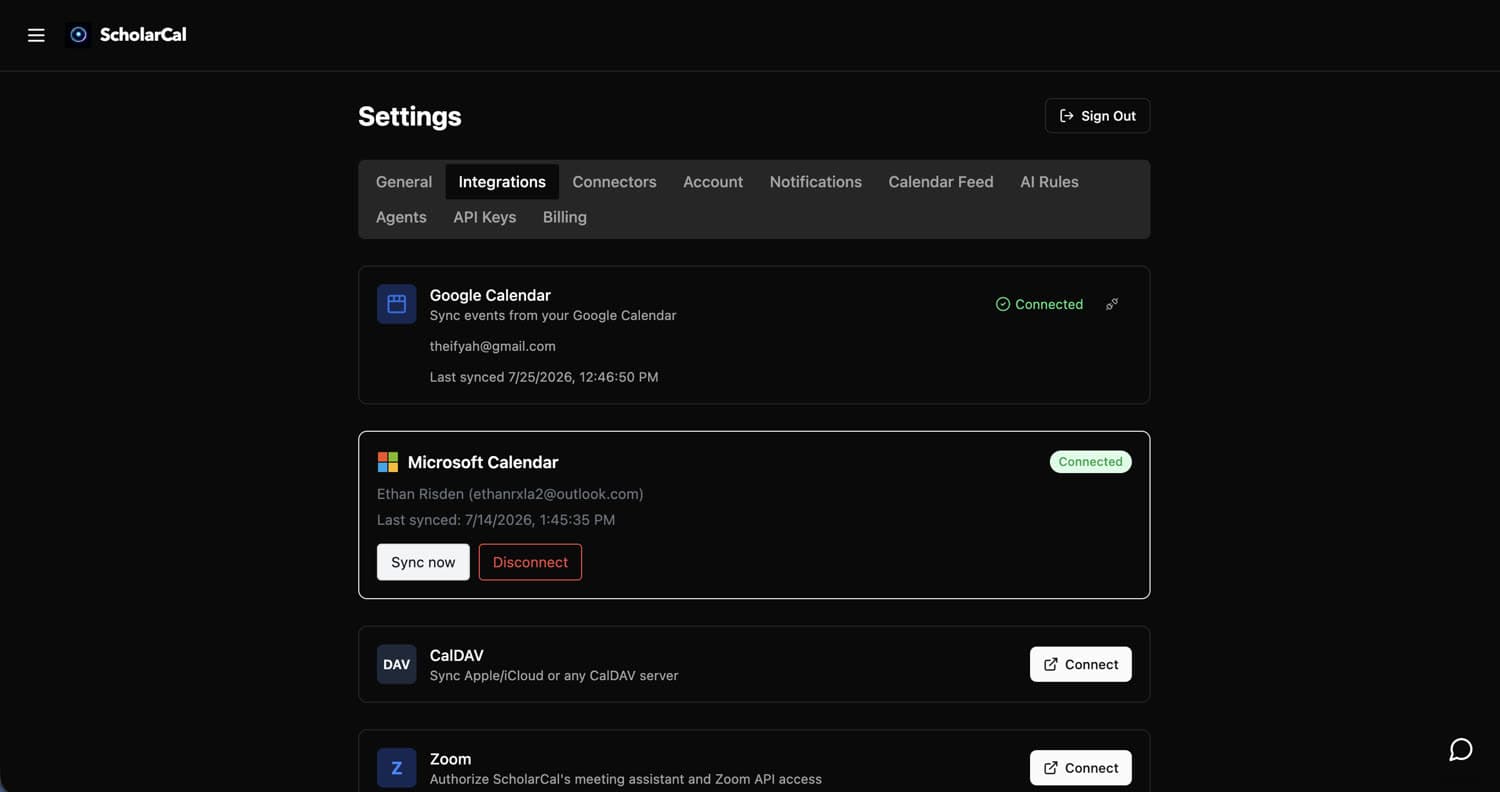
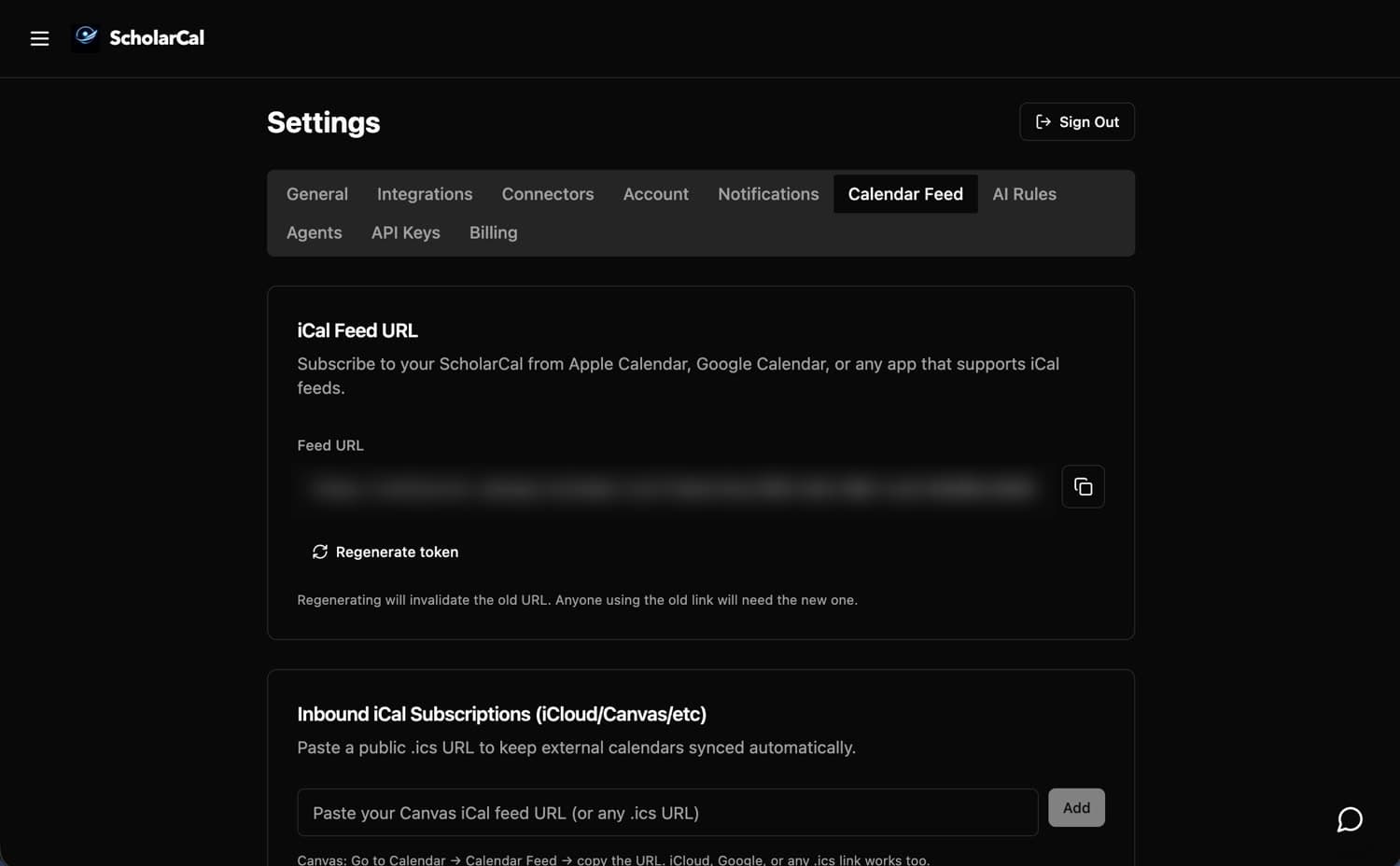
Connect your calendars
Settings → Integrations for Google, Microsoft, or any CalDAV server, and Calendar Feed to subscribe to a Canvas or Apple feed by URL. OAuth only — ScholarCal never asks for your password, and disconnecting deletes the synced data.
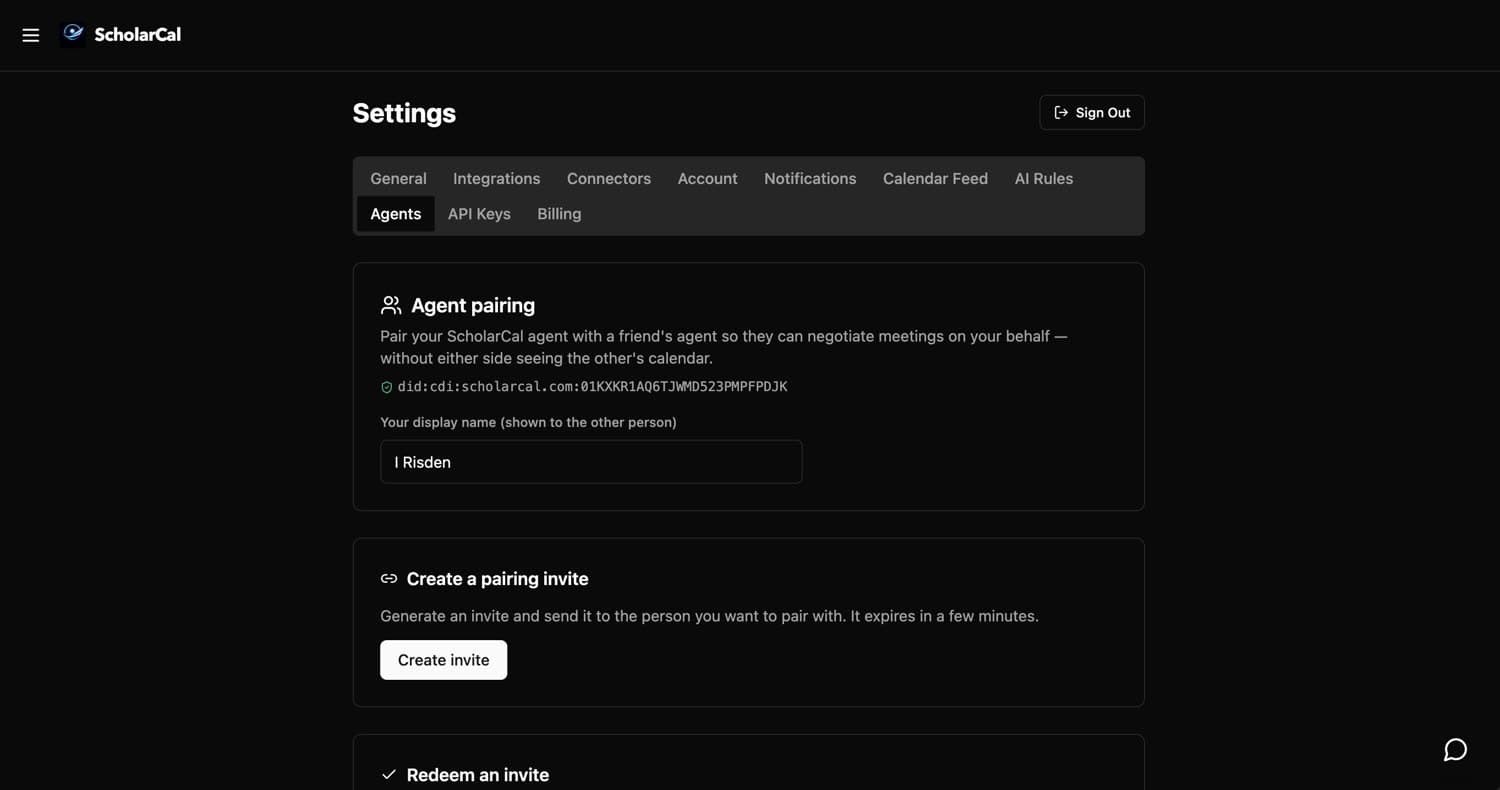
Pair your agent
Settings → Agents. Create an invite, send it to someone, and your two agents can negotiate meetings on your behalf — without either side seeing the other’s calendar.
Ask for what you need
Say it in plain language — a week of study blocks, a haircut, a flight. ScholarCal reads your existing schedule, finds the open time, and lays out the whole plan with real times.
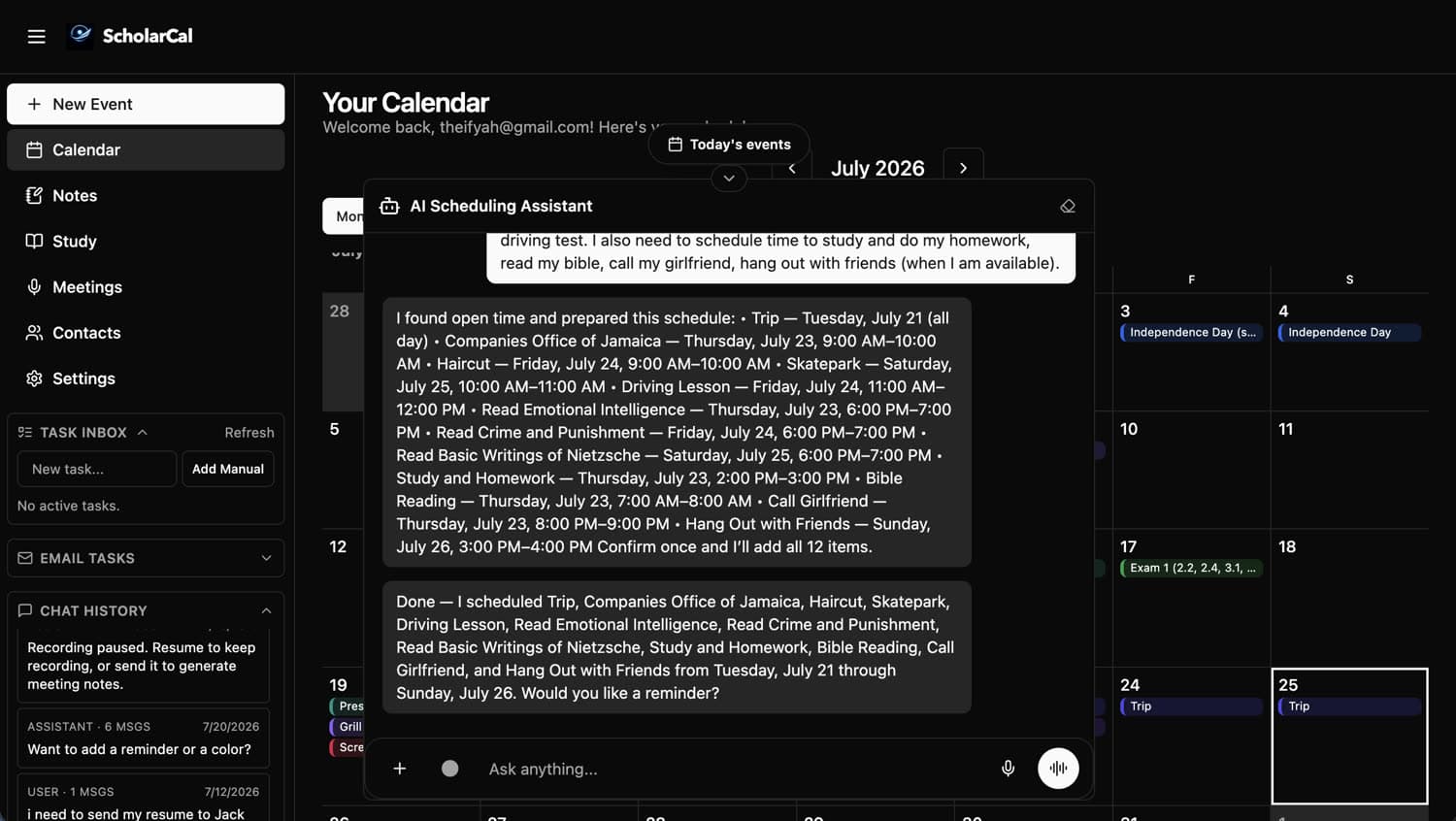
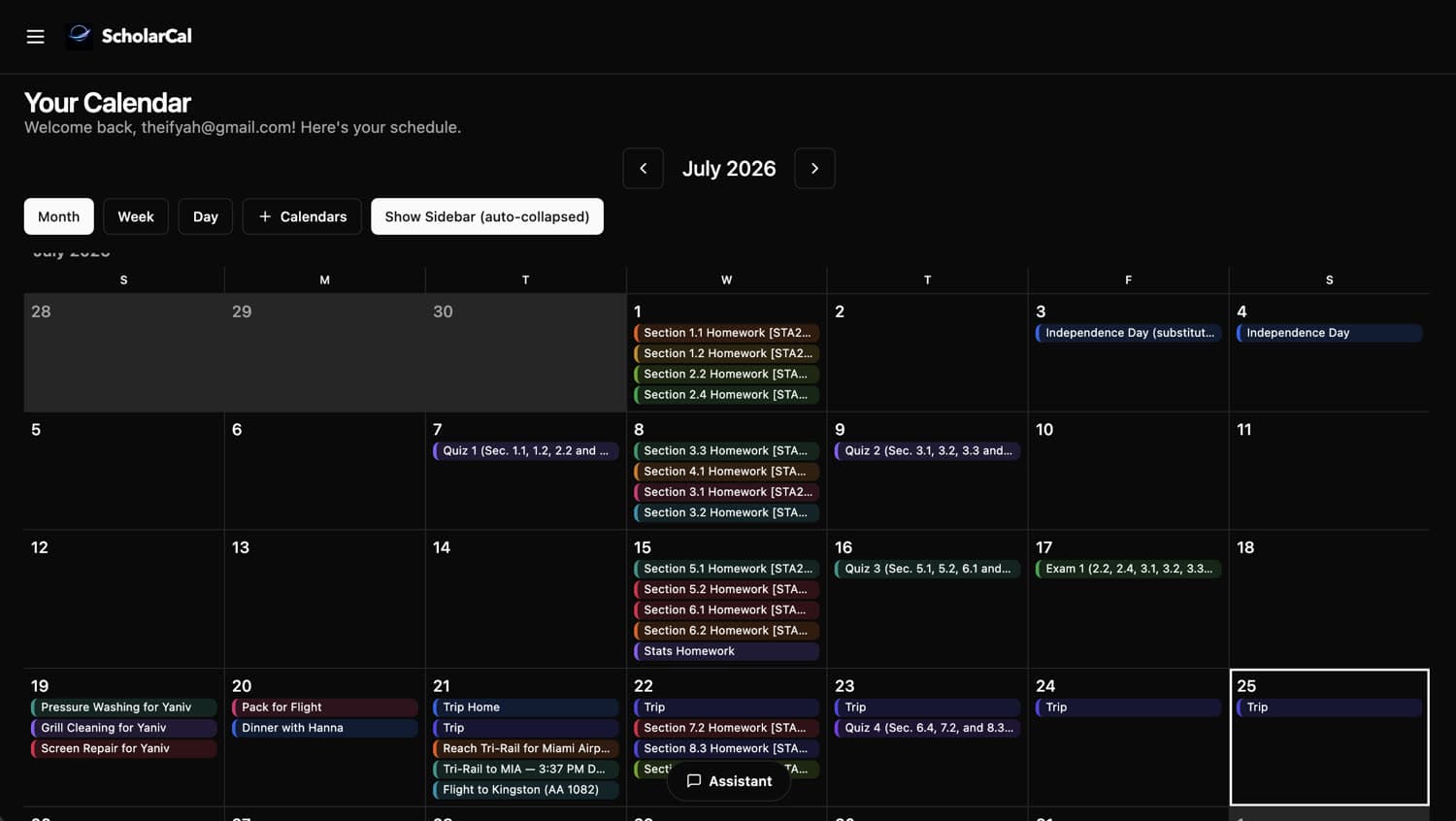
Let the agent do the work
Say the word and it writes every event to your calendar at once — no dragging blocks around a grid. It still asks before it writes, so nothing lands without you.
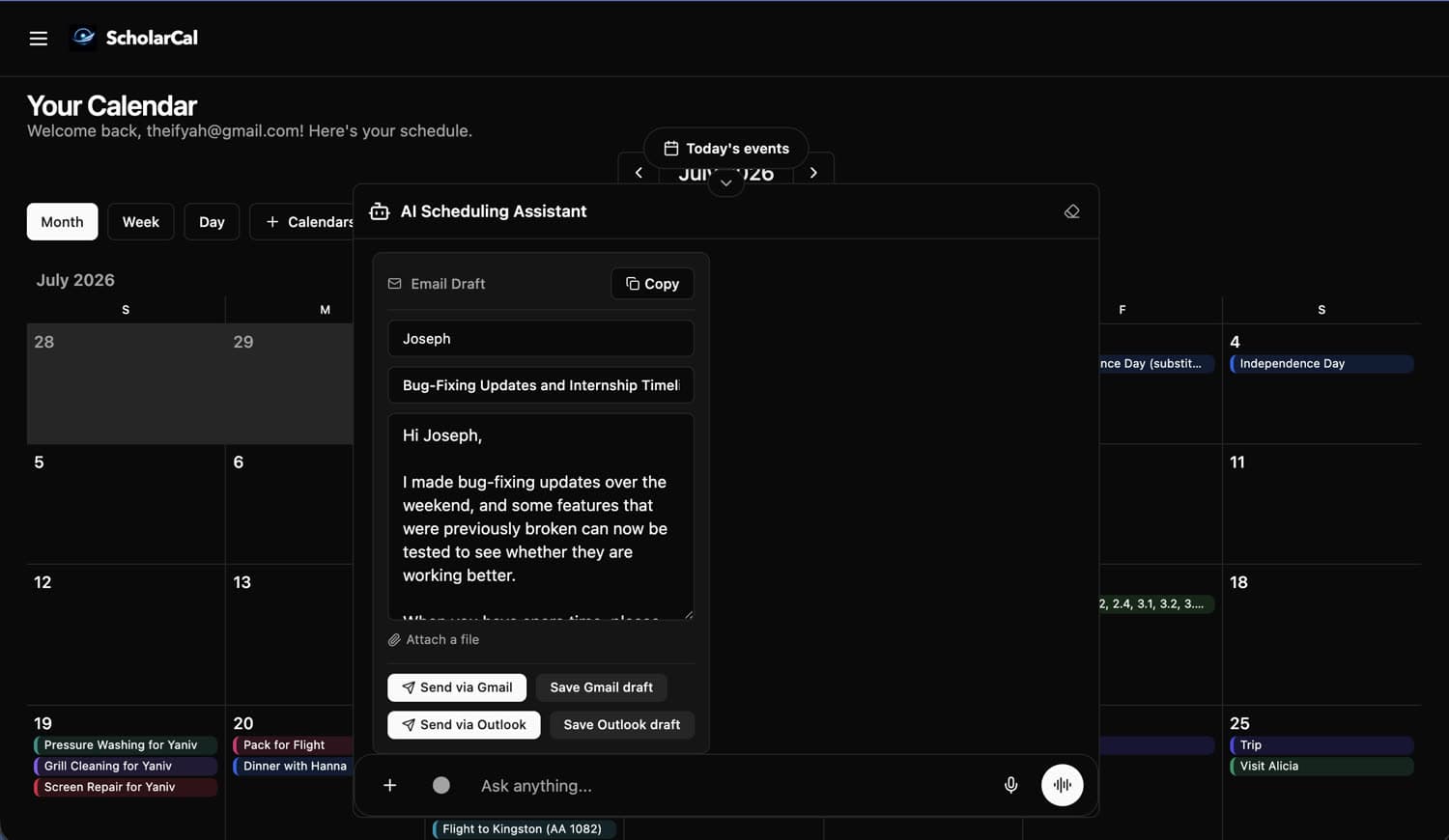
Send the follow-up
Ask it to write any email — a follow-up, an introduction, a reply you have been putting off. Attach a file, then send it or save a draft straight to Gmail or Outlook.
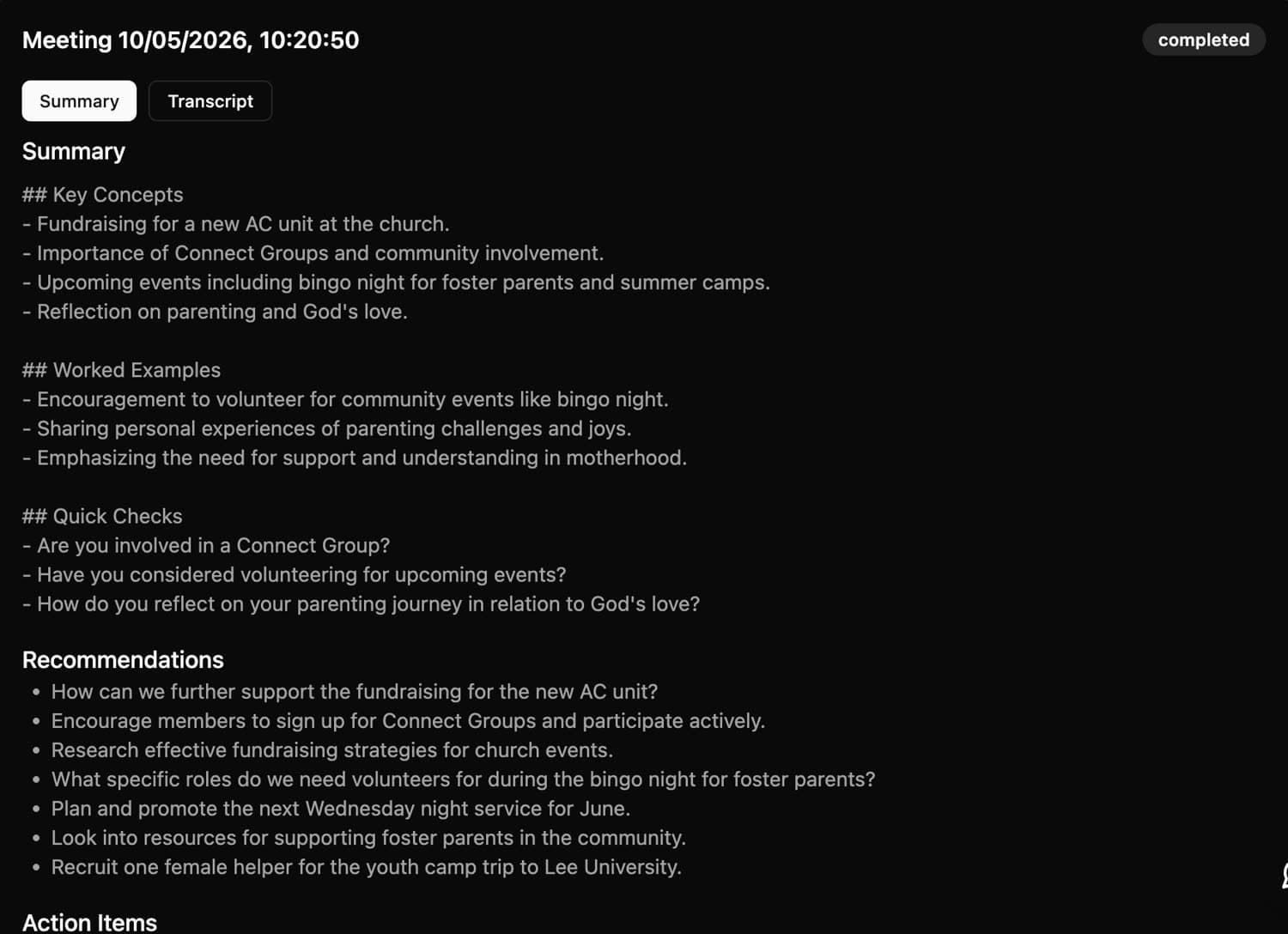
Record the meeting
Record a lecture or a call and get back the full transcript plus a summary of it — key concepts, recommendations, and action items, with the transcript still there when you need the exact wording.
Let it run
Your calendar stays in sync across every source you connected, in one view. Keep using Google, Outlook, or Apple — ScholarCal works underneath them.
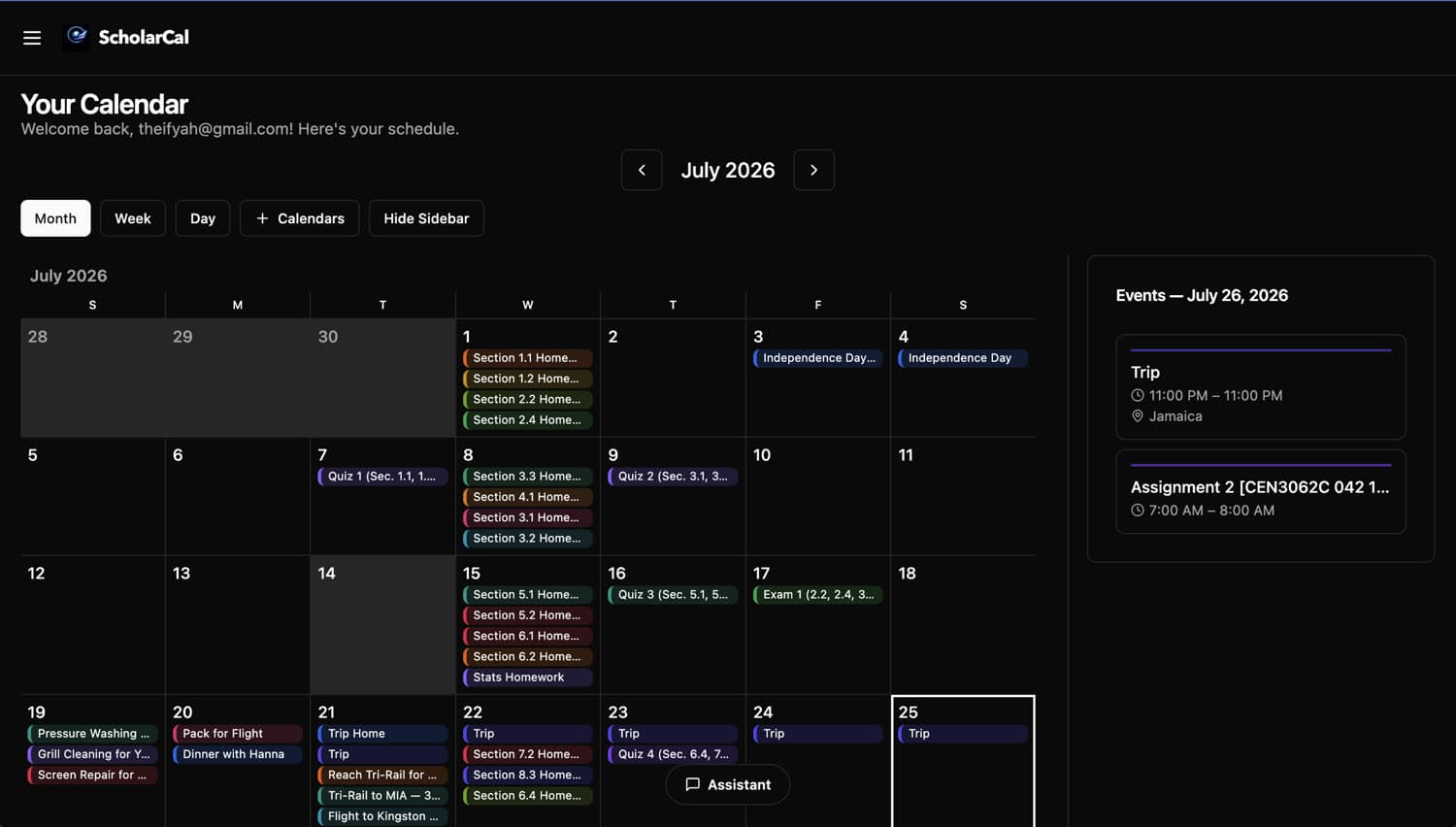
Ready to delegate your schedule to ScholarCal?
Join early users using ScholarCal to plan faster and communicate better.